
Direct answer
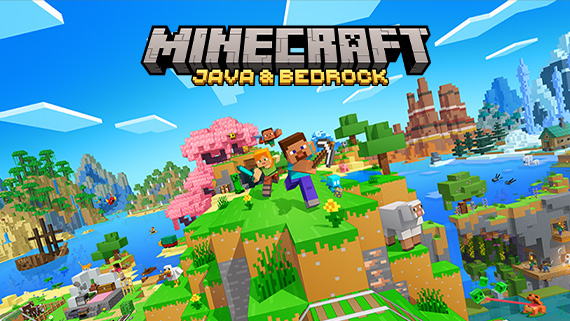
Minecraft for Nintendo Switch 2 launched on October 27, 2026. Existing digital Switch owners can upgrade to the digital Standard Edition for free in most regions during the offer window ending January 31, 2027 at 9 AM PT; Japan, Taiwan and Thailand charge the small regional fee listed by Mojang. Existing worlds can carry over. Vibrant Visuals is cosmetic and supported on Switch 2, but it turns off in split-screen and may be unavailable in some Marketplace worlds or content.
Evidence boundary: The upgrade offer is time-limited and region-specific. Mojang confirms world carryover and the broad feature boundary, but the signed-in Nintendo account, current eShop offer and in-game migration prompt are the final checks before purchase or transfer.
Do this first
- 01Use the Nintendo account that owns the original digital or physical Switch copy and update the original game first.
- 02Open the eShop or the in-game upgrade message during the offer window and verify the edition, region and displayed price before confirming.
- 03Keep the original world untouched until the Switch 2 copy appears and opens with the expected spawn, inventory and one known landmark.
- 04Open Settings, Video and Graphics Mode to choose Vibrant Visuals when the current world and play mode support it.
- 05If the option turns off, leave split-screen and test an ordinary local world before blaming the console or reinstalling the game.
Choose the right upgrade path
The upgrade window runs from October 27, 2026 at 9 AM PT through January 31, 2027 at 9 AM PT. Owners of a digital Switch copy can move to the digital Switch 2 Standard Edition for free in most regions; Mojang lists 100 JPY, 30 NTD and 25 THB in Japan, Taiwan and Thailand.
All owners, including physical-copy owners, can receive an in-game offer for a discounted digital Ultimate Collection when launching the Switch version on a Switch 2 during the window. Read the live eShop page before paying: Standard, Deluxe and Ultimate are different products, and the offer is not permanent.
- Digital Switch owner: check the Standard upgrade first.
- Physical owner: use the in-game Ultimate discount prompt if that collection is wanted.
- Never assume a regional fee or edition from a screenshot made on another account.
Carry the world over safely
Mojang says Nintendo Switch worlds can carry over to Switch 2. Treat that as a migration, not permission to overwrite the only known-good copy. Update the source game, confirm the Nintendo account and keep the original world until the destination copy opens correctly.
After transfer, check the world name, spawn, player inventory and one unmistakable build. If any one of those is wrong, stop changing the destination and return to the original copy or the official migration help path.
- Source account and game updated
- Original world retained
- Destination world opens
- Spawn, inventory and landmark verified
Use Vibrant Visuals without changing gameplay
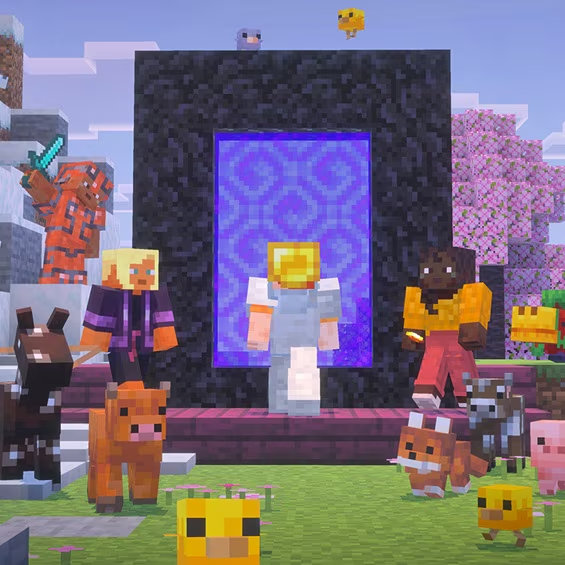
Vibrant Visuals adds directional lighting, volumetric fog, dynamic shadows and other presentation changes. Mojang describes it as a visual upgrade, so it should not be used to claim different world generation, combat rules or progression.
On a supported world, open Settings, Video and Graphics Mode and select Vibrant Visuals. Marketplace support depends on the specific content; the Switch 2 edition also includes the updated Super Mario Mash-Up Pack with Vibrant Visuals support.
Diagnose a missing or disabled option
Vibrant Visuals is not available in split-screen and can be unavailable in some Marketplace worlds or content. When local multiplayer starts, the game falls back to another graphics mode; that is a documented boundary, not proof that the installation is broken.
Test one ordinary single-player local world before reinstalling. If the option remains absent, confirm that the Switch 2 edition is running, update the game and compare the current world with Mojang's support links. Keep account ownership, migration and graphics-mode problems separate.
- Works in single-player but not split-screen: expected limitation.
- Fails only in one Marketplace world: check that content's support.
- World missing: return to migration/account checks, not graphics settings.
- Upgrade offer missing: verify account ownership, region and the January 31 deadline.
Official sources
Official launch date, edition options, upgrade window, regional fees, world carryover and Vibrant Visuals limitations.
Mojang Studios · Checked Nov 6, 2026Official current product capabilities, Switch 2 feature list, split-screen boundary and account requirements.
Mojang Studios · Checked Nov 6, 2026