
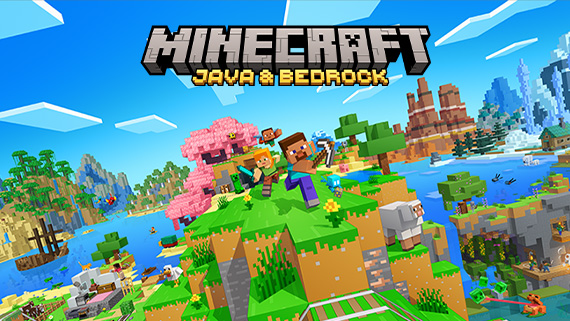
Direct answer
Choose Java Edition for Windows, macOS or Linux when the group is staying on computers and needs the Java ecosystem. Choose Bedrock Edition when cross-device play across supported consoles, mobile and Windows is the priority. Java and Bedrock players do not join the same normal world, their Realms products are separate, and technical tutorials should be verified on the target edition before building them in a permanent save.
Evidence boundary: Platform availability and product terms can change. The official edition comparison and current store page should be checked again before purchase; this guide does not promise cross-save or crossplay outside the combinations Mojang lists.
Do this first
- 01List every device in the group before buying or starting the permanent world.
- 02If consoles or mobile must join, verify that every participant can use Bedrock Edition.
- 03If the group is computer-only, compare Java-specific needs against Bedrock cross-device convenience.
- 04Buy or subscribe only after checking the current official store and Realms product for that edition.
- 05Test farms, redstone and preview features on the same edition and a copied world before migration.
Platforms decide the first branch
Mojang's official comparison places Java Edition on Windows, macOS and Linux. Bedrock Edition covers Windows and the supported console and mobile ecosystem, including Xbox, PlayStation, Nintendo Switch, Android and iOS.
Do not choose from graphics or a favourite creator alone. Write down the least flexible device in the group. A console or phone requirement usually makes Bedrock the shared-world route; a computer-only technical or mod-focused group may prefer Java.
- Java: Windows, macOS and Linux
- Bedrock: Windows, consoles and mobile
- Cross-device group: verify Bedrock on every device
- Normal Java and Bedrock worlds are separate
Crossplay is edition-bound
Bedrock players can use the supported cross-platform multiplayer system with other Bedrock players. Java multiplayer remains within Java. Owning a copy or using the same Microsoft account does not turn the two protocols into one ordinary shared world.
Realms follows the same boundary: the official comparison distinguishes Realms for Java from Realms Plus for Bedrock. Confirm the edition before paying the host, inviting the group or transferring a long-running world.
Technical tutorials need an edition label
Redstone connectivity, update order and some block behavior can differ between editions. A farm that works in one edition may need a different detector, timing or placement in the other.
For every serious build, record edition, version and orientation. Test one cycle in a creative copy, then move the verified design into Survival. A tutorial without an edition label is a candidate, not evidence.
Snapshots and previews are test environments
Java snapshots and Bedrock previews expose work in progress. Mojang warns that preview builds may be unstable and recommends backing up worlds. Experimental toggles can also change systems such as villager trading without making those changes default.
Keep a production save and a test save. Never open the only copy of a long-running world merely to inspect a new mechanic, and do not publish preview behavior as the stable rule without an explicit label and date.
Official sources
Official platform, crossplay, Realms and preview comparison.
Mojang Studios · Checked Sep 12, 2026Official current Minecraft editions and product overview.
Mojang Studios · Checked Sep 12, 2026Official example of a component whose behavior differs by edition.
Mojang Studios · Checked Sep 12, 2026