Direct answer
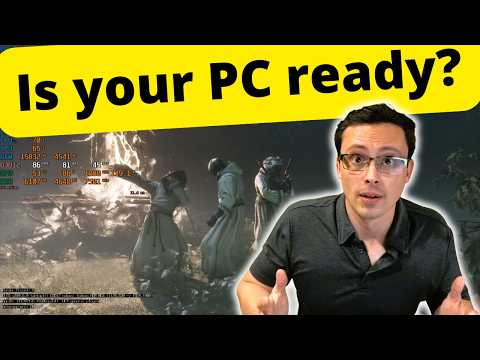
The official minimum lists Windows 10/11, Core i7-10700K or Ryzen 5 3600, 16 GB RAM, RTX 2060 SUPER 8 GB or RX 6600 8 GB, DirectX 12 and 70 GB on an SSD.
This guide separates official facts, independently cross-checked launch information and field-testing advice. Patch-sensitive costs, drop rates and damage values are omitted unless the current build and accessible evidence agree.
Quick route
- 01Compare CPU and GPU model—not only brand or VRAM.
- 02Reserve more than the listed 70 GB for installation and updates.
- 03Install on an SSD as required by the official listing.
- 04Test the current game build before relying on a launch-week benchmark.
Official minimum specification
Operating system: Windows 10 or Windows 11. Processor: Intel Core i7-10700K or AMD Ryzen 5 3600. Memory: 16 GB RAM. Graphics: NVIDIA GeForce RTX 2060 SUPER 8 GB or AMD Radeon RX 6600 8 GB. DirectX: Version 12. Storage: 70 GB available space, with an SSD required.
These are minimum entry requirements, not a promise of a particular resolution or frame rate.
How to compare your PC
A newer model number is not automatically faster across laptop and desktop parts. Compare the exact CPU and GPU, available system memory, graphics memory and power limits.
If the machine is close to minimum, the practical question is whether the desired frame rate survives combat effects and open-area traversal, not whether the title screen launches.
Storage and driver preparation
Leave working space beyond the listed install size so unpacking and patches do not fill the drive. Update the graphics driver, close overlays used only for testing and record the game version before benchmarking.
Laptop warning
Mobile GPUs can share a desktop name while running at lower power. Check the laptop's exact GPU wattage, cooling behavior and whether the game is using the discrete GPU before comparing it with a desktop video.
Watch the route or mechanic
The transcript was reviewed during material collection. Use the video for visual landmarks and timing; use the written guide to keep the decision sequence visible.
Accessible sources
Official game, world and mechanics overview.
Playstack · Cold Symmetry · Checked Aug 24, 2026Official release, platform and system information.
Valve · Playstack · Checked Aug 24, 2026Visual route or mechanic evidence with an accessible English transcript.
YouTube field evidence · Checked Aug 24, 2026