
Do this first
- 01Choose Shockbyte or a self-hosted 64-bit Windows or Linux machine; do not treat the old 0.11 RAM example as a current 1.0 guarantee.
- 02Install the free Dragonwilds Dedicated Servers tool and keep the server stopped while editing DedicatedServer.ini.
- 03Set owner ID, server name, default world name and admin password; forward the chosen UDP port, which starts at 7777 by default.
- 04Back up every file in RSDragonwilds/Saved/Savegames before emptying that folder or copying a local world .sav into it.
- 05Start the server, search the exact case-sensitive world name, compare client and server versions, and keep the log before changing anything else.
Choose the hosting boundary
Jagex documents three options: its third-party partner Shockbyte, a computer you own, or a cloud computer you configure. Self-hosting requires a 64-bit Windows or Linux system and direct UDP reachability. The official guide uses port 7777 for the first server and 7778 for the second by default.
The same guide's RAM and six-player examples are explicitly tied to version 0.11 from March 2026. Use them as historical setup context, not a verified 1.0 capacity promise. Check the current server tool and host panel before purchasing hardware or a rental plan.
Configure only while stopped
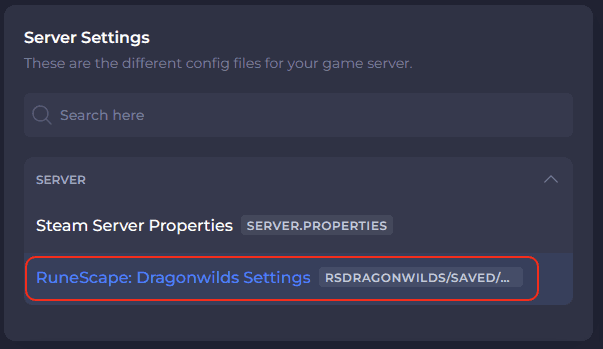
The server requires an owner ID, server name, default world name and admin password. Jagex places the Linux file at Files/RSDragonwilds/Saved/Config/Linux/DedicatedServer.ini; on Windows, the configuration belongs under Files/RSDragonwilds/Saved/Config/WindowsServer/DedicatedServer.ini.
Stop the process before editing. Jagex warns that configuration values changed while the server is running are lost. Keep the admin password private: anyone who enters it gains the in-game admin role until the password changes.
- Copy the player ID from the bottom of the in-game Settings menu.
- Keep the world name exact; public search is case-sensitive.
- A world password is optional and overrides a password stored in the world.
Migrate a world without sacrificing the source
Stop the dedicated server first. Copy every file already present in RSDragonwilds/Saved/Savegames to another drive or cloud location. Only after that verified backup should you empty the server folder and copy the local .sav from C:/Users/your_username/AppData/Local/RSDragonwilds/Saved/SaveGames.
At startup, the server loads the newest .sav in its Savegames folder. If the folder is empty, it creates a default Standard world, so an unexpected fresh world can mean the intended save was not copied to the path the running server uses.
- Preserve the original local .sav as a rollback source.
- Keep a dated copy outside the live Savegames folder.
- After restart, verify the world name and progress before inviting other players.
Diagnose the failure before replacing files
If the server is absent from the public list, compare the version at the top of the server log with the version shown by the client, confirm the mandatory configuration values and search the exact case-sensitive world name. If the server is visible but cannot be joined, Jagex says UDP forwarding probably failed somewhere between the host, routers and ISP.
Use .../RSDragonwilds/Saved/Logs/RSDragonwilds.log as the first diagnostic record. Steam invites are a documented known issue in the server guide, so use the Public tab and exact world-name search rather than repeatedly rewriting the save.
- Config reverts after restart: the file was probably changed while the server was running.
- Fresh default world: stop immediately and verify the Savegames path before writing more progress.
- Modded-server console join or missing save: 1.0.0.5 removes a known corruption cause, but Jagex still says world and character recovery is under investigation; preserve every suspect save and backup instead of overwriting it.
Official sources
Official self-hosting, configuration, world migration, backup, discovery and log-diagnosis instructions; older 0.11 capacity figures are not treated as current 1.0 limits.
Jagex · Checked Sep 26, 2026Hotfix live September 25, 2026; dedicated-server and save-corruption boundaries reviewed September 26.
Jagex · Checked Sep 26, 20261.0 crossplay, invite code, Scorned Wilderness, Nightmare Crucible and resource changes.
Jagex · Checked Sep 26, 2026